

mission is an archived example, not installed by init. Copy it from examples/init-pack/ with its dependency closure, or ask create-workflow for one, then run it:
mission handles work too long or broad for one agent loop, running milestones one at a time with parallel feature workers, integration, and validation (see How It Runs).
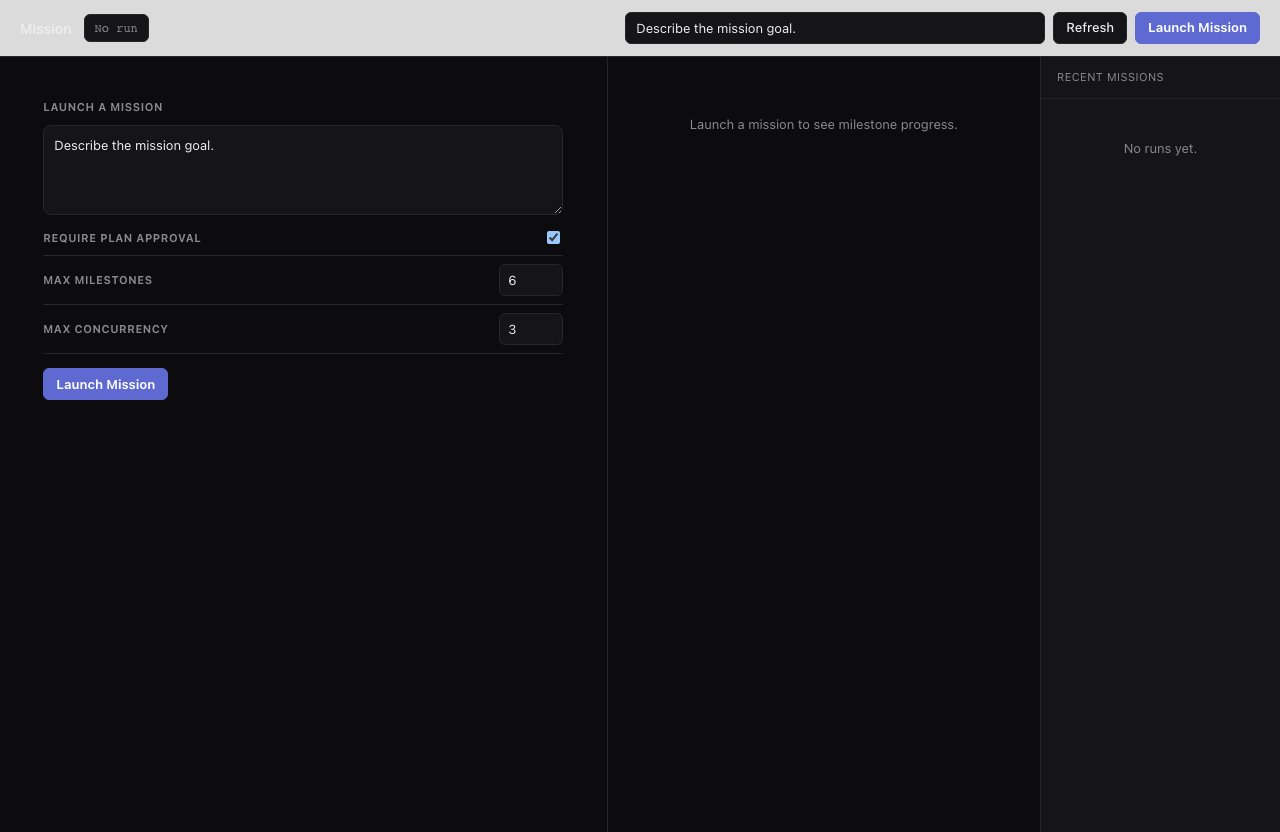
The mission UI shows the approved milestone plan, the parallel per-milestone workers, and the integration and validation steps.
Inputs
Example with worktree isolation:
How It Runs
- The orchestrator scopes the request and creates serial milestones.
- If approval is enabled, the run pauses (see Approval below).
- The active milestone dispatches feature workers with fresh focused prompts.
- The integration task merges or reconciles the feature outputs.
- Validation runs tests, builds, and smoke checks, plus UI walkthroughs if the repo has a configured browser test command.
- Failed validation triggers one targeted repair task and a revalidation.
- After all milestones complete, the final task writes a mission report.
Approval
WhenrequirePlanApproval is true, the run pauses after planning and emits mission:approve-plan. Review the proposed milestones, then resume:
Output Shape
mission commits changes incrementally as each milestone completes; the final report to the run log summarizes milestones, validation outcomes, and any unresolved failures.
Use it when
- Work is too long or broad for one agent loop and you want milestone-by-milestone progress with an approval gate and validation.
Use something else when
- The change is a single focused unit: use
implement. - You want independent tickets in isolated worktrees: use
tickets-create, thenkanban.
Resume & retry
Runs are durable: resuming withup --resume continues from the last finished milestone.