

The observe loop
Three moves: list what’s active, follow one live, inspect what a step produced.
You never memorize the commands; you drive it through your agent. Anything
waiting-approval is flagged as a run paused at a gate.
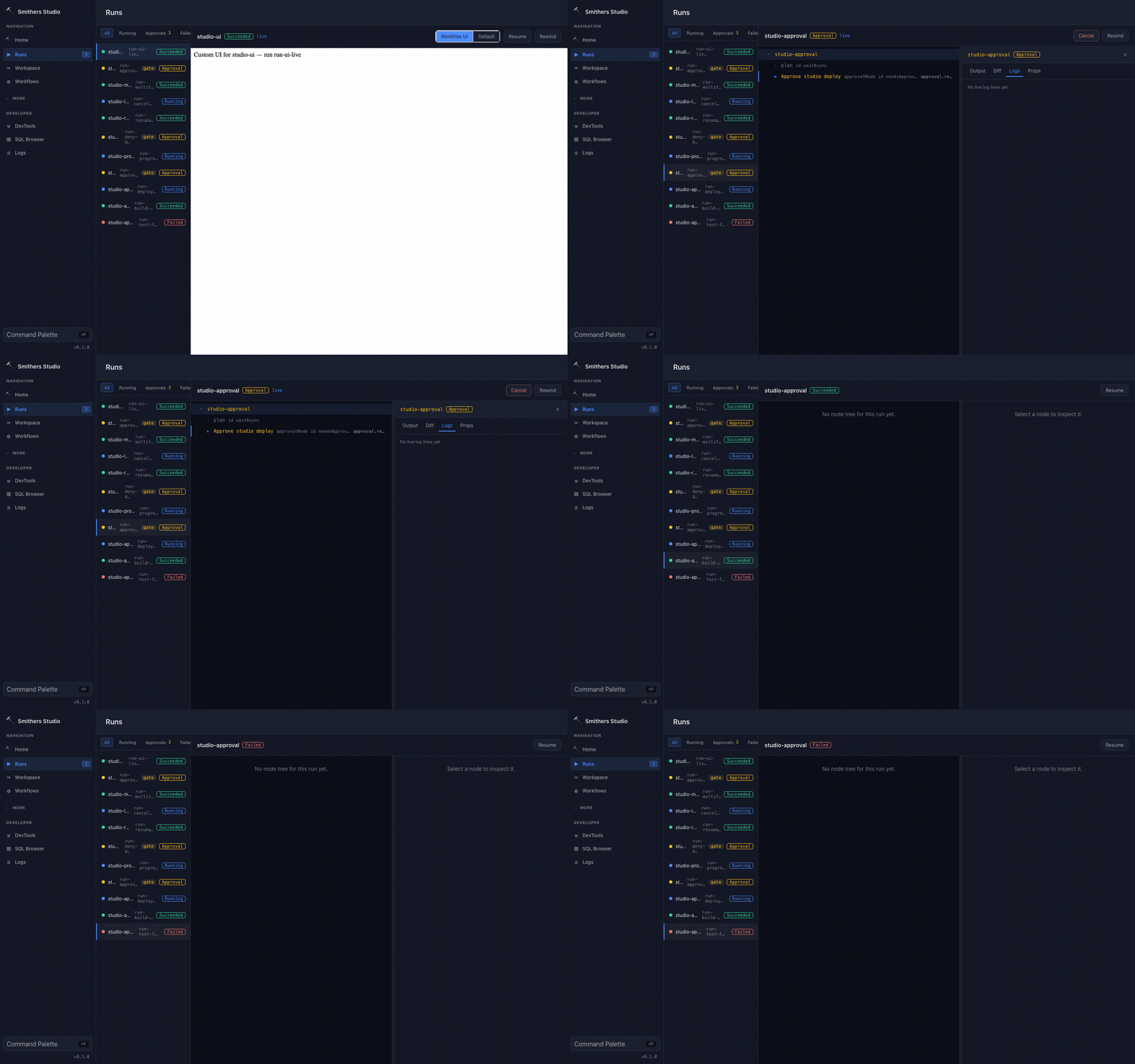
Run state streams in live as each step transitions, proof that a long agent run is observable end to end, not a spinner you wait on blind.
Visual workflow views
The default watch path is still the agent-driven CLI loop above, not a GUI you click through. When you want one live page over every run (grouped run list, execution tree, event stream, and an approvals inbox), ask your agent to open the Smithers Monitor withbunx smithers-orchestrator monitor. It needs zero setup and only observes: opening it launches nothing. When a workflow ships a purpose-built browser view, ask your agent to open it with bunx smithers-orchestrator ui.
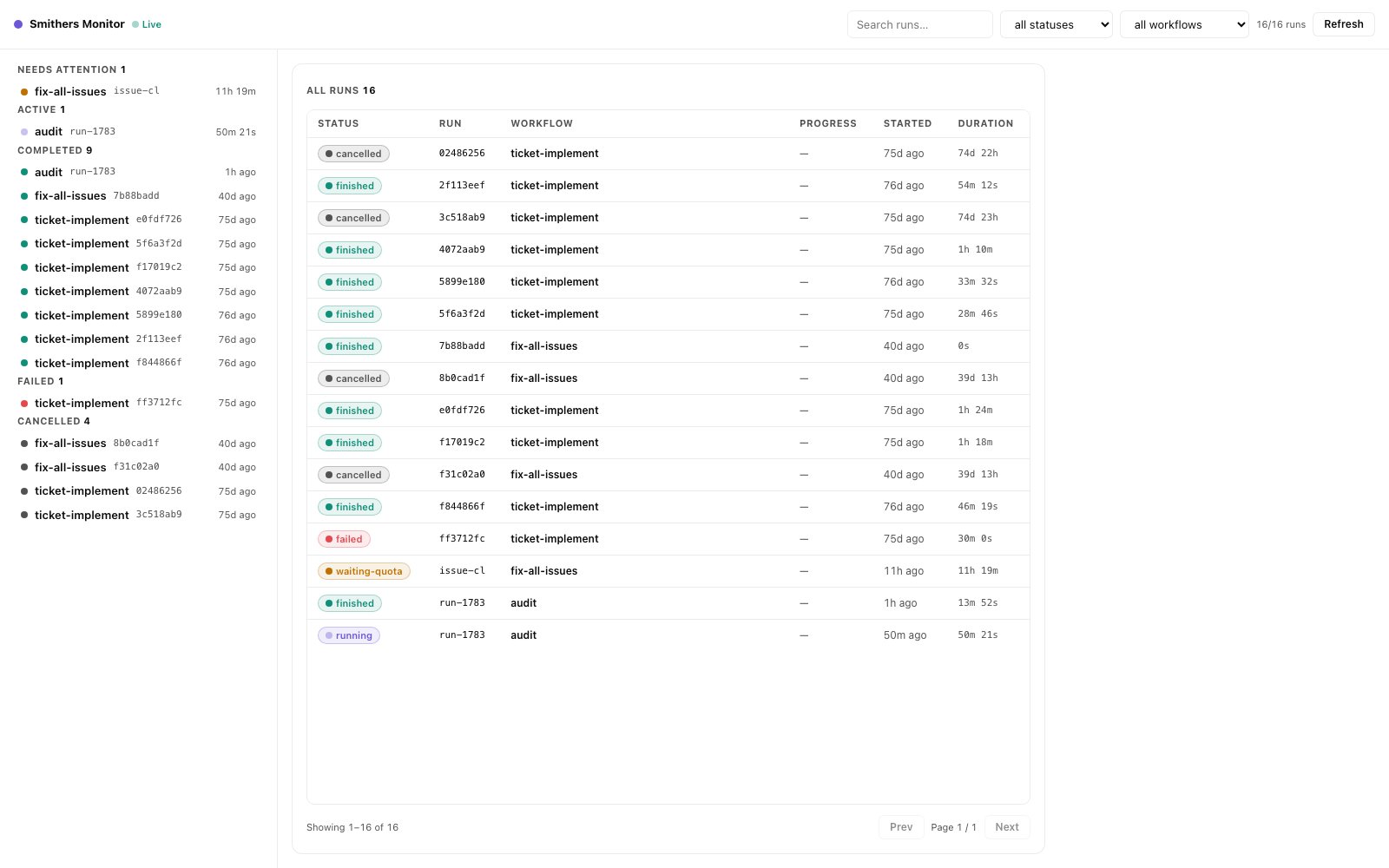
The Monitor's home view: every run in the workspace, grouped by what needs attention, live.
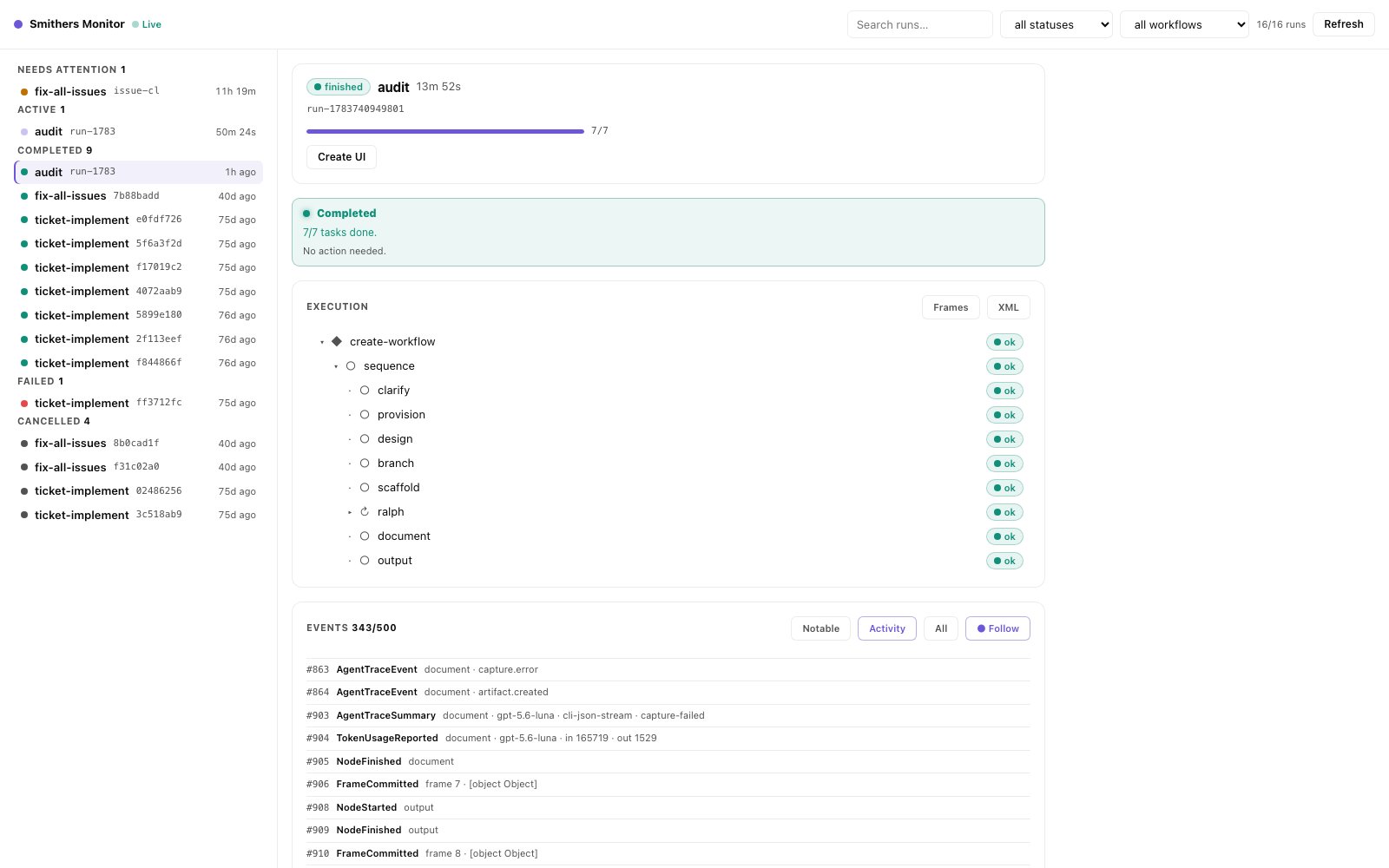
Drill into one run: progress, the execution tree with per-node status, and the structured event stream underneath.
The CLI watch loop (
ps, chat --follow, inspect --watch) remains the always-available path, and works on any machine, with any agent, no GUI required.Browser and remote access
You do not have to be at the machine that started the run. Ask your agent to serve the run or open its workflow UI, and you get an HTTP control plane you can reach from a browser: your laptop watching a run on a remote box, or a teammate following along. For programmatic and multi-user access (bots, dashboards, schedulers authenticating once and streaming events), the Gateway is the headless control plane behind the same run data.Steering from here
Watching is half of it; steering is the other half, and it’s the same loop. You see something, you tell your agent what to do about it.
Because every run is durable (render → execute → persist), steering is never lossy: approve a gate, cancel a run, or redirect a step without losing the work already on disk.
Read next
Talk to your agent
How-to: the phrasing that starts every run, and how asking your agent kicks off durable work.
What you can do
Reference: the full catalog of outcomes, including the runs you start and walk away from.
The few concepts you need
Explanation: why a paused run costs nothing and a crashed run resumes without losing work.
CLI and Gateway
Under the hood: every read and steer command, plus the headless control plane for remote and multi-user access.