> ## Documentation Index
> Fetch the complete documentation index at: https://smithers.sh/llms.txt
> Use this file to discover all available pages before exploring further.
# plan
> Create a practical implementation plan.
`plan` is an archived example, not installed by `init`. Copy it from `examples/init-pack/` with its dependency closure, or ask `create-workflow` for one, then run it:
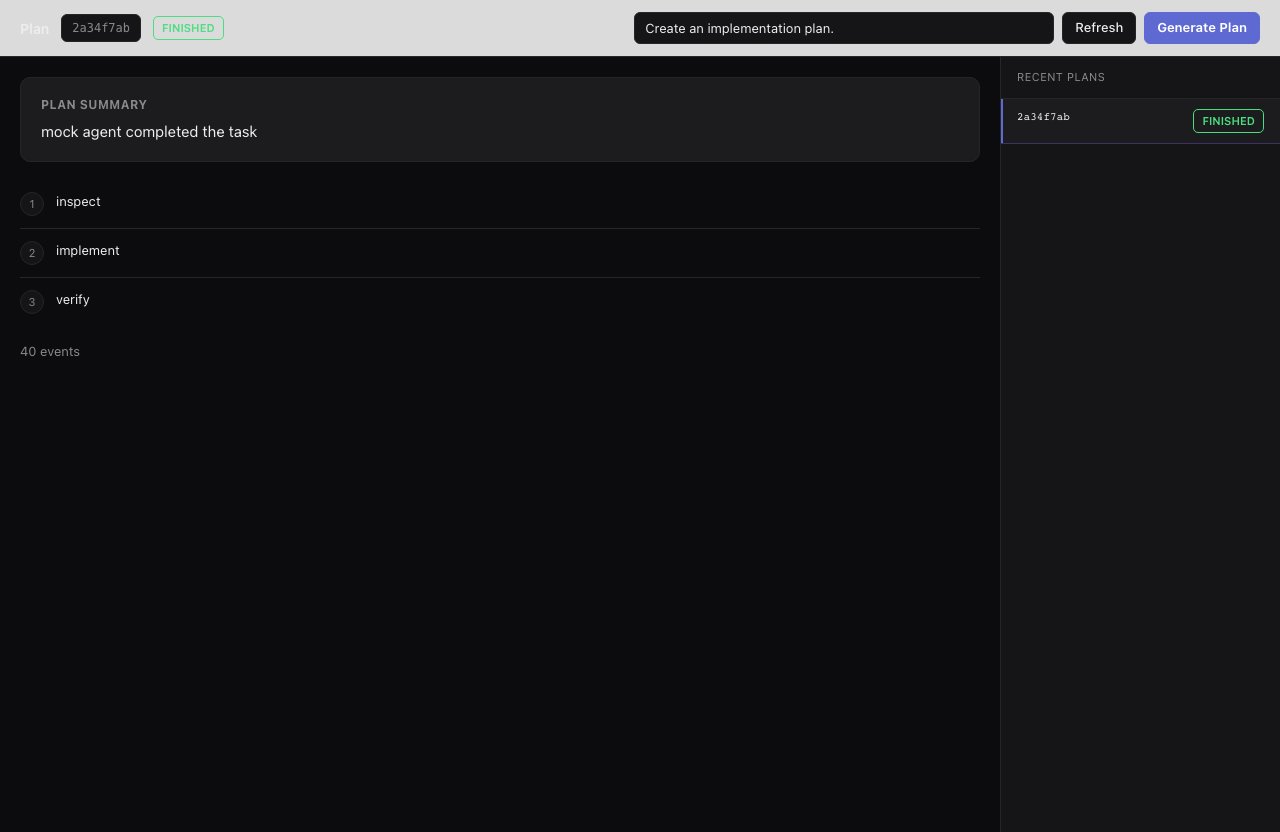
`plan` turns a request into a structured plan without changing the repo.
```bash theme={"theme":{"light":"github-light","dark":"github-dark"}}
bunx smthrs workflow run plan --prompt "Add account-level billing limits"
```
 ## Inputs
| Input | Type | Default |
| -------- | ------ | ---------------------------------- |
| `prompt` | string | `"Create an implementation plan."` |
## Output Shape
`plan` returns a summary and ordered steps, for use before `implement`, `research-plan-implement`, `mission`, or `tickets-create`.
## Use it when
* The request is clear enough to plan, and you want an ordered, reviewable plan before touching code.
## Use something else when
* The task touches unfamiliar code: run [`research`](/workflows/research) first, or use [`research-plan-implement`](/workflows/research-plan-implement).
* Requirements are still vague: run [`grill-me`](/workflows/grill-me).
* Ready to build: use [`implement`](/workflows/implement).
## Resume & retry
Runs are durable and resume with `up --resume`.
## Inputs
| Input | Type | Default |
| -------- | ------ | ---------------------------------- |
| `prompt` | string | `"Create an implementation plan."` |
## Output Shape
`plan` returns a summary and ordered steps, for use before `implement`, `research-plan-implement`, `mission`, or `tickets-create`.
## Use it when
* The request is clear enough to plan, and you want an ordered, reviewable plan before touching code.
## Use something else when
* The task touches unfamiliar code: run [`research`](/workflows/research) first, or use [`research-plan-implement`](/workflows/research-plan-implement).
* Requirements are still vague: run [`grill-me`](/workflows/grill-me).
* Ready to build: use [`implement`](/workflows/implement).
## Resume & retry
Runs are durable and resume with `up --resume`.