> ## Documentation Index
> Fetch the complete documentation index at: https://smithers.sh/llms.txt
> Use this file to discover all available pages before exploring further.
# What Smithers Is
> Hand your coding agent real, multi-step work and trust it to finish durably, with retries, approvals, and full visibility.
You already talk to a coding agent: ask for a change, it works a few minutes, you read the result. That works for small, synchronous edits, but falls apart once work gets long.
## The treadmill
A single agent in a chat window is a black box on a treadmill: it forgets what it decided ten steps ago, stalls mid-job waiting for a nudge, and loses everything if the process crashes.
The model is good; nothing underneath it is durable, so there's no record of what finished and nothing to resume from.
## From chat to durable background work
Smithers moves the work off the treadmill and into a durable runtime: you describe a real job and it runs in the background.
Every step is persisted the moment it finishes, so the runtime always knows what's done and what's next, and stays observable instead of a black box.
 ## You don't write workflows. You talk to your agent.
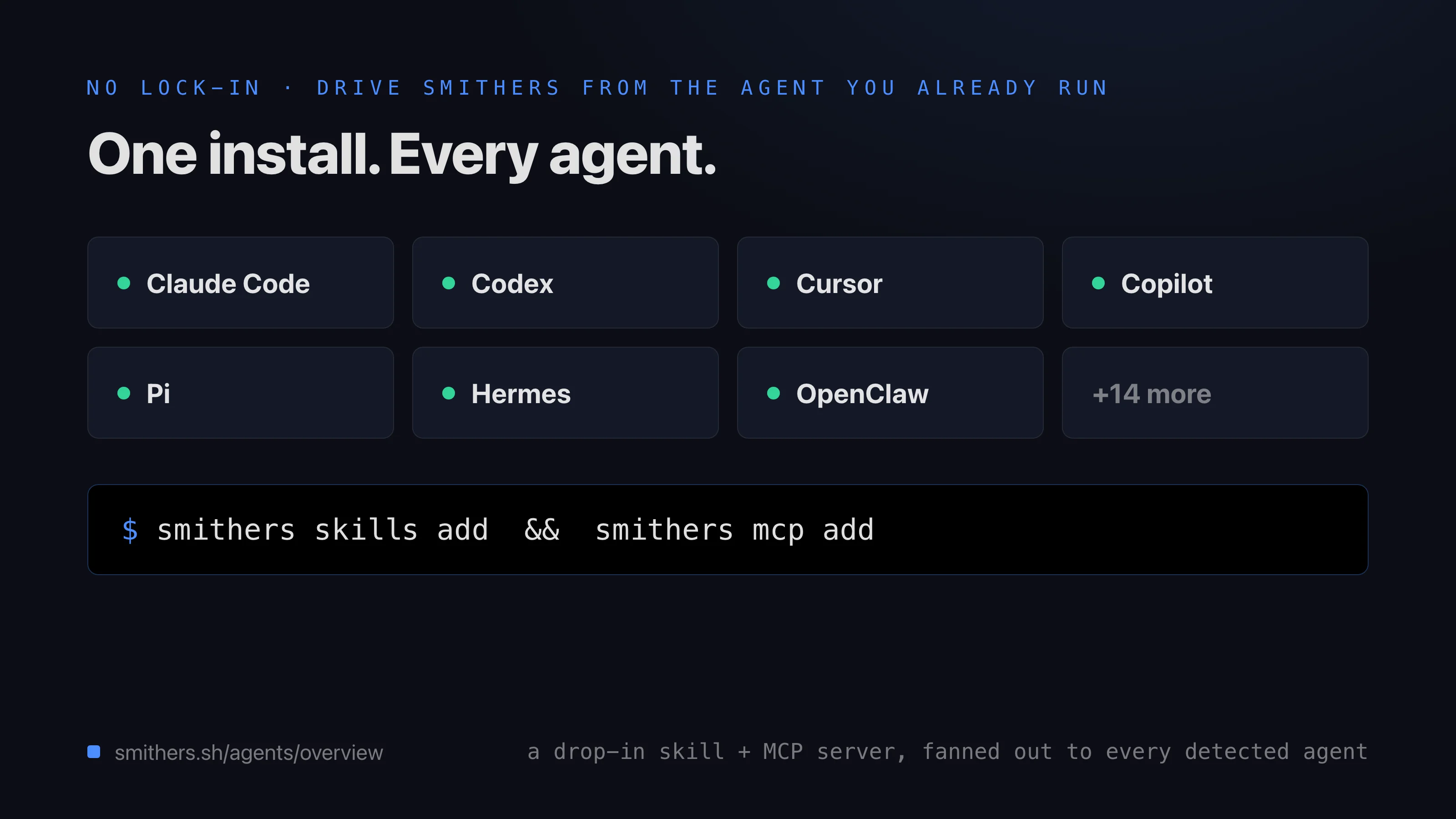
You don't click a GUI or write code. Install the `smithers` skill into your coding agent, and **you drive it through your agent**. Say what you want in plain language: it picks the workflow, starts the run, watches it, and brings back the result, or pauses when it needs a decision. You stay in the chat you already use.
TSX workflows and the CLI exist to read, but the primary path is a sentence to your agent.
## What you get
Four guarantees a chat-window agent can't give you, on any agent, any model, any machine.
| You get | What it means for you |
| ------------------------------ | -------------------------------------------------------------------------------------------------------------------------------------------------------------------- |
| **Durable runs** | Work persists every step, so a crash, closed laptop, or flaky tool is a resume point, not lost work. Runs go for minutes or days. |
| **Any agent, any model** | Point each step at whichever agent and model fits best, such as Claude Code, Codex, and more, and swap them without redoing the work. |
| **Review loops and approvals** | Tasks retry on failure, loops run until tests pass or the review signs off, and the run pauses for your approval on anything that matters. |
| **A focused authoring pack** | Fresh init ships `create-workflow`, `create-skill`, and `docs-driven-development`; former recipes remain available as copyable examples under `examples/init-pack/`. |
## You don't write workflows. You talk to your agent.
You don't click a GUI or write code. Install the `smithers` skill into your coding agent, and **you drive it through your agent**. Say what you want in plain language: it picks the workflow, starts the run, watches it, and brings back the result, or pauses when it needs a decision. You stay in the chat you already use.
TSX workflows and the CLI exist to read, but the primary path is a sentence to your agent.
## What you get
Four guarantees a chat-window agent can't give you, on any agent, any model, any machine.
| You get | What it means for you |
| ------------------------------ | -------------------------------------------------------------------------------------------------------------------------------------------------------------------- |
| **Durable runs** | Work persists every step, so a crash, closed laptop, or flaky tool is a resume point, not lost work. Runs go for minutes or days. |
| **Any agent, any model** | Point each step at whichever agent and model fits best, such as Claude Code, Codex, and more, and swap them without redoing the work. |
| **Review loops and approvals** | Tasks retry on failure, loops run until tests pass or the review signs off, and the run pauses for your approval on anything that matters. |
| **A focused authoring pack** | Fresh init ships `create-workflow`, `create-skill`, and `docs-driven-development`; former recipes remain available as copyable examples under `examples/init-pack/`. |
 ## The magic moment
Open your coding agent and say:
> "Add rate limiting to the API and don't stop until it builds, validates, and the review signs off."
A durable run writes the code, runs the build and tests, loops on failures, and pauses for your sign-off once review approves.
> "Keep working on reducing our flaky tests and don't stop until I tell you to."
A long-horizon run that grinds on flaky tests in the background, surviving crashes until you call it off.
> "Migrate the dashboard to the new gateway APIs. Show me the milestone plan before you start, then work through it."
Plans the migration, pauses for approval, then executes milestone by milestone, resuming exactly where it left off if interrupted.
## The magic moment
Open your coding agent and say:
> "Add rate limiting to the API and don't stop until it builds, validates, and the review signs off."
A durable run writes the code, runs the build and tests, loops on failures, and pauses for your sign-off once review approves.
> "Keep working on reducing our flaky tests and don't stop until I tell you to."
A long-horizon run that grinds on flaky tests in the background, surviving crashes until you call it off.
> "Migrate the dashboard to the new gateway APIs. Show me the milestone plan before you start, then work through it."
Plans the migration, pauses for approval, then executes milestone by milestone, resuming exactly where it left off if interrupted.
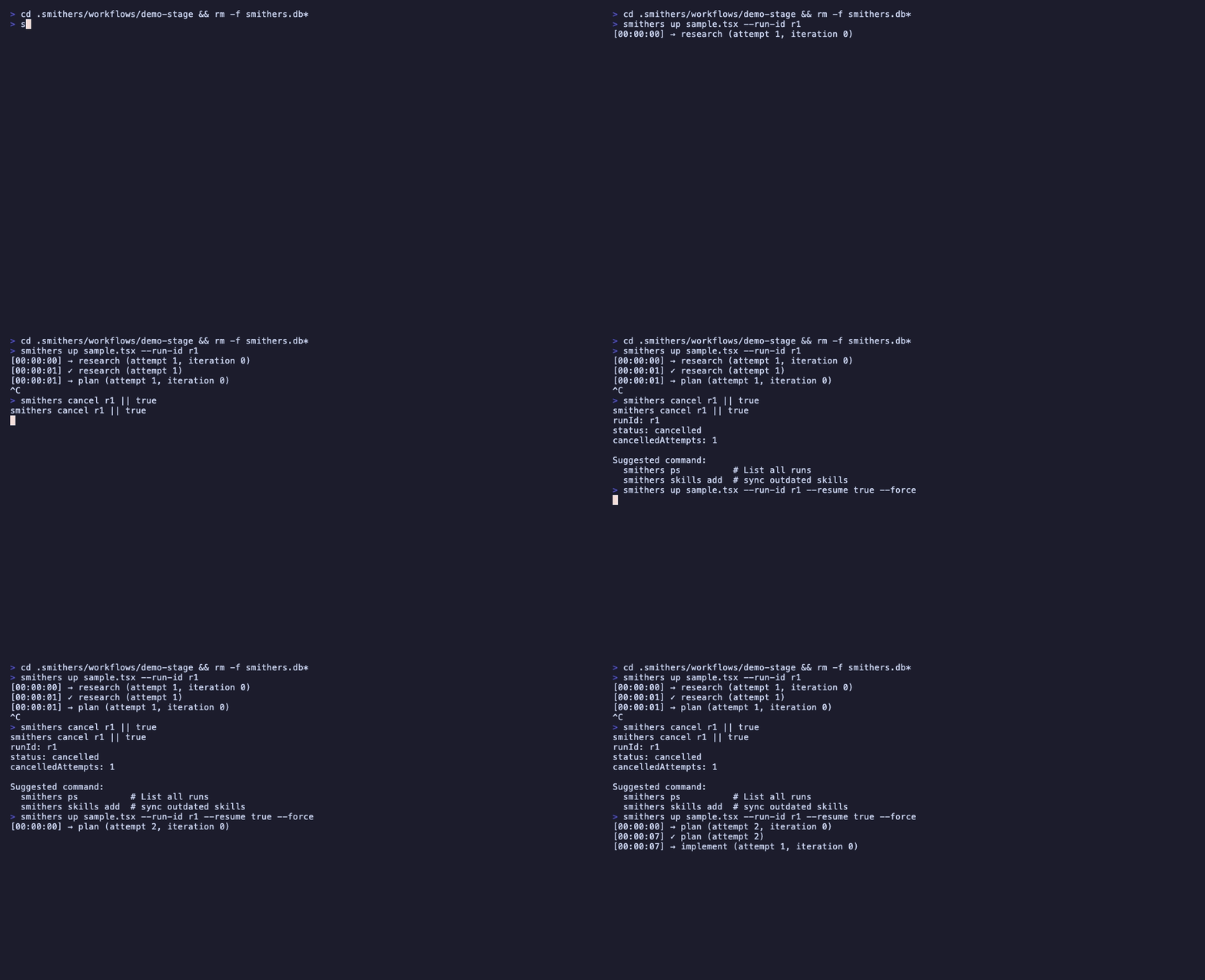 None of these need a workflow file or a terminal: ask, and Smithers delivers more structure and quality than a one-shot prompt.
## Read next
**Tutorial:** install the skill and run your first durable job.
**Reference:** the outcome catalog of real jobs you can hand off, and what to say.
**Explanation:** the handful of ideas (runs, frames, approvals) behind it.
None of these need a workflow file or a terminal: ask, and Smithers delivers more structure and quality than a one-shot prompt.
## Read next
**Tutorial:** install the skill and run your first durable job.
**Reference:** the outcome catalog of real jobs you can hand off, and what to say.
**Explanation:** the handful of ideas (runs, frames, approvals) behind it.